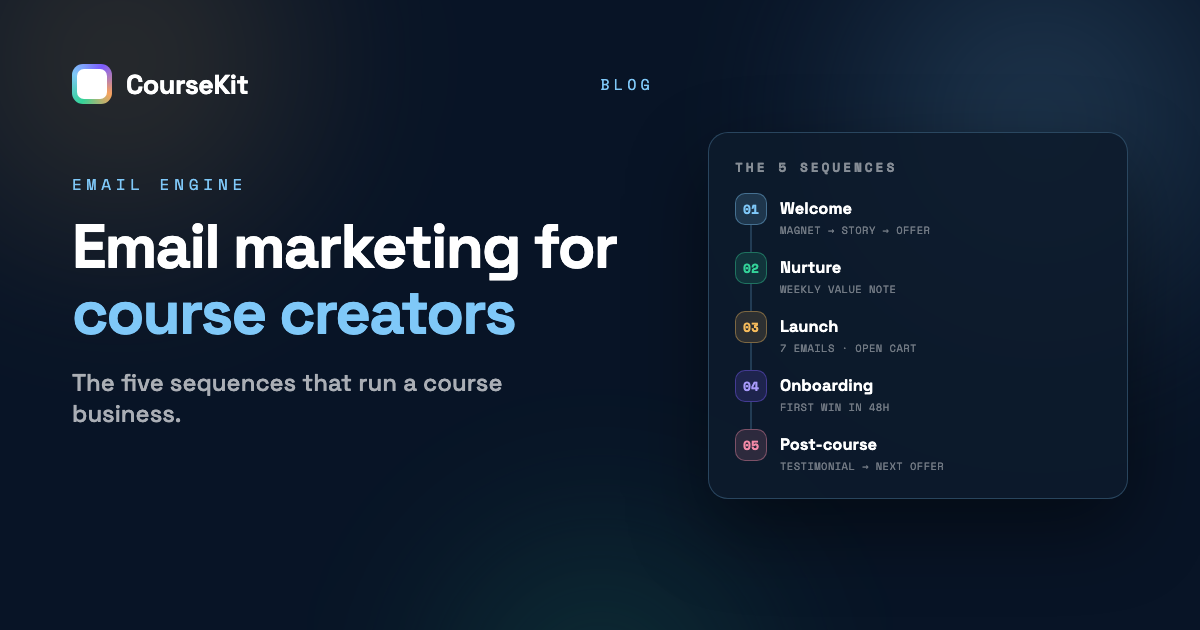
Email is where course sales actually close. Social feeds and search bring strangers; email turns them into buyers — which is why every serious course business, whatever its discovery channel, runs on the same handful of automated sequences underneath. Most guides list a dozen-plus sequence types; in practice, five do nearly all the work. This post builds each one email-by-email: what to send, when, and what number tells you it is working.
This is the deep dive on Layer 3 of our course marketing system — the email engine that sits between discovery and sales. If you have no list at all yet, start there; this post assumes subscribers are arriving, even slowly.
Sequence 1 — Welcome (the first 5 days)
Job: turn a stranger who grabbed your lead magnet into someone who knows you, trusts you, and knows what you sell.
Triggered the moment someone joins your list, this is the highest-open-rate email real estate you will ever own — welcome emails are read at rates your weekly newsletter will never see. Spend it deliberately:
- Deliver + one quick win (immediately): hand over the lead magnet and pull out its single most useful piece so they win in the first five minutes. One job, one link.
- The story (day 1): why you teach this — the struggle-to-shortcut arc that makes your advice credible. End with a question; replies train inbox providers to trust you.
- The best of your teaching (day 2): your most genuinely useful lesson, taught fully, free. Prove the paid material's quality by giving away real substance.
- The obstacle (day 4): name the mistake or myth that keeps your audience stuck, and reframe it. This email does the quiet selling — the problem your course solves becomes vivid.
- The door (day 5): a soft, clear introduction of your course — who it is for, the outcome, one testimonial — with an honest “no rush; I’ll keep sending useful things either way.”
Watch: open rate on email 1 (under ~60% means fix your subject or your sender reputation) and reply rate on email 2.
Sequence 2 — Nurture (the forever cadence)
Job: keep the list warm between promotions so launches never land cold.
Weekly or fortnightly, one email, teaching one small thing — a tactic, a story with a lesson, an answer to a real student question. The bar is simple: would a busy subscriber be mildly glad this arrived? Formats that sustain for years: the one-tip note, the student Q&A, the behind-the-scenes number (“what my last launch actually made”), the mini case study.
Two rules keep nurture healthy. First, consistency beats brilliance — a decent note every week outperforms a masterpiece every quarter, because the habit of opening is the asset. Second, every third or fourth email can mention the course naturally (a student result, an inside detail); the list should never be surprised you sell something.
Watch: open-rate trend (a slow slide means subjects or content drifted) and unsubscribe rate per send (under ~0.5% is healthy).
Sequence 3 — Launch (the 7-email open-cart week)
Job: convert warm subscribers during a deadline window.
The full sequence — doors-open, story, what’s inside, objections, proof, 48-hour notice, final hours — lives in our launch playbook, so here is the compressed logic: each email removes one reason not to buy, urgency is real (a genuine deadline or cap, never fabricated), and roughly half the revenue arrives in the final 48 hours — so the late emails are the ones you must not lose nerve on. Expect elevated unsubscribes on days six and seven; that is the list cleaning itself, not a malfunction.
Watch: click-to-sales-page rate per email, and where in the sequence buyers convert — it tells you which objection was the real one.
Sequence 4 — Onboarding (the first 14 days after purchase)
Job: get the student to their first win before life intervenes.
The most neglected sequence is the one with the clearest ROI. The completion data is blunt: about half of all dropouts happen in the first two weeks, and students who reach the one-third mark usually finish — finishers then become your testimonials, referrals, and repeat buyers.
- Welcome + start here (immediately): one link to lesson one — not the syllabus, not the community tour. One action.
- The personal note (day 1–2): from you, human, two sentences: why did you join? Replies surface goals and objections — and future testimonial material.
- First-win check (day 3): point at the first tangible artifact the course produces and ask to see it.
- The stuck email (day 7): name the module where students typically stall, normalize it, give the workaround.
- Progress mirror (day 14): “you’re X% in” with encouragement — progress framing, not guilt (“we miss you” converts nobody).
Watch: percentage of buyers who complete lesson one within 48 hours — the single best predictor of eventual completion.
Sequence 5 — Post-course (graduation and beyond)
Job: convert finishers into proof and repeat revenue.
- Congratulations + certificate (on completion): celebrate genuinely; completion is rarer than students know.
- The testimonial ask (day 1–2 after finishing): while the win is fresh — two questions only: what changed, and what would you tell someone considering it?
- The referral nudge (day 7): a give-get offer (“gift a friend 20%”) — finishers refer at rates marketing spend cannot buy.
- The next step (day 14+): the advanced course, the membership, the cohort — whatever genuinely continues their path. Selling to alumni is the easiest sale in the business.
Watch: testimonial-per-completion rate — if finishers are not converting into proof, the ask is mistimed.
Your first 30 days: the build order
Thirteen emails run the whole first year — here is the order to write them so nothing blocks anything else:
| Week | Build | Why this order |
|---|---|---|
| Week 1 | Lead magnet + welcome email 1, wired to your signup form | Capture must work before anything else matters |
| Week 2 | Welcome emails 2–5, scheduled as an automation | Every new subscriber from now on gets the full arc |
| Week 3 | First two nurture notes, sent live to the list | Starts the weekly habit — and gives you real open/click data |
| Week 4 | Domain authentication check + draft the 7-email launch sequence | Deliverability set before volume; launch drafts age well |
Onboarding and post-course sequences join when you have students — write them during your first cohort’s opening week, while you can see exactly where real students stall. Resist building all five sequences before anyone is on the list; an empty automation is polished procrastination.
The plumbing: five practical notes
- Segment on behavior, not demographics. The distinctions that matter: subscriber vs. buyer vs. finisher, and clicked-the-sales-page vs. never-did. Repeat sales-page clickers get the launch sequence’s objection emails; cold subscribers get nurture. Anything fancier can wait.
- Send from your domain. Authentication (SPF/DKIM/DMARC) on the same domain your courses live on — deliverability compounds on domain reputation the way SEO does. Since 2024, the major inbox providers require authentication for bulk senders; set it up on day one, not after the first launch lands in spam.
- Plain beats pretty. Text-first emails from a person outperform designed newsletters for course sales — they feel personal and dodge promotions-tab filters.
- Let purchase data drive it. The sequences above depend on knowing who bought and who finished — which is painful when your email tool and course platform are strangers. This is why email that already knows your student data matters (it ships inside CourseKit, segmented on bought/finished, on every plan).
- Write the minimum viable stack first. Five welcome emails, one weekly nurture, and the launch sequence — roughly thirteen emails — run the entire first year. Onboarding and post-course join once students exist.
Email marketing for course creators: FAQ
How big does my email list need to be to sell a course?
Smaller than the gurus imply. With typical warm-list launch conversion of 1–3%, a 200-subscriber list plausibly yields 2–6 sales — enough to validate and fund the next cycle. List quality (how they joined, how warm) moves results more than size; our marketing system covers growing it.
How often should course creators email their list?
Weekly or fortnightly for nurture — enough to stay familiar, rarely enough to stay welcome — and daily during an open-cart week. The cadence people regret is none-then-burst: silence for months followed by seven launch emails reads as spam to a list that forgot you.
How do I keep my course emails out of the spam folder?
Four habits cover most of it: authenticate your sending domain (SPF, DKIM, DMARC) before sending anything in volume; keep the list clean by removing hard bounces and long-term non-openers quarterly; earn engagement early — questions that get replies in the welcome sequence teach inbox providers you are wanted; and avoid link-heavy, image-heavy blasts, which is one more reason plain text wins. Deliverability is a reputation you build, not a setting you toggle.
What email platform should a course creator use?
Any reputable tool works for the sequences above; the deciding factor is whether it knows your purchase data. If your course platform includes email that segments on bought/finished automatically, start there; if you stitch tools together, make the buyer-tag automation the first integration you build.
Are email open rates still reliable?
Only directionally — privacy features inflate them, so treat opens as a trend line, not a truth. Clicks, replies, and sales are the honest metrics; judge nurture by clicks and replies, launches by sales per email.
Should I send the same launch emails every time?
Keep the structure, refresh the substance: new testimonials, a new story, the objections you heard last cycle. The sequence is a machine; each launch upgrades its parts — which is exactly why the launch debrief in our playbook feeds the next one.
Written by Dr. Hesham Mashhour, author of Start Your Online Course Business Today and founder of CourseKit — the course platform that runs inside your own Webflow site, with email marketing that knows who bought and who finished, on every plan, and a transaction fee that falls to 0%. See what is included →